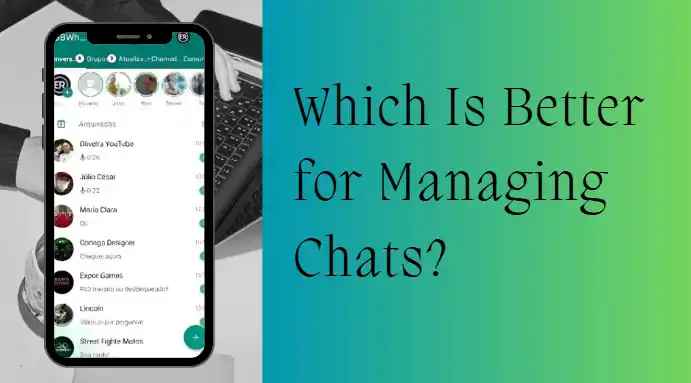
GBWhatsApp vs Wa App Group Message History: Which Is Better for Managing Chats?
Among various chat tools, WhatsApp has always occupied a dominant position. Meanwhile, a large number of users’ attention has also been drawn to the application of GBWhatsApp, which is a version of WhatsApp. Many users are concerned: In terms of group message management, which one is better, GBWhatsApp or WhatsApp? What are the differences between them? In the following part, a detailed comparative analysis will be conducted from various perspectives.
Group Message History Management in WhatsApp
WhatsApp is the official messaging app developed by Meta, which is known for its stability and security. As far as group message history management is concerned, WhatsApp has a standardized process for it:
- Messages are automatically saved in a chronological order
- Keyword search is enabled
- Starred messages can be labeled
- Chat history can be exported in text format
- Cloud backup is enabled (Google Drive or iCloud)
The benefit of using the official app is that it ensures data security and system compatibility. All chat histories will be secured with an encrypted system, and the group message history will not be accessed by third parties as they wish. But in terms of functionality enhancement, WhatsApp is quite conservative.
GBWhatsApp Group Message Enhancement Features
GBWhatsApp is a third-party modified version of WhatsApp, offering extensive customization options, especially for group message management. GBWhatsApp’s enhancements include:
- Larger file sending limits
- Longer video status durations
- Ability to hide “read” status
- Customizable chat interfaces
- Multiple chat locking options
In terms of group message history, GBWhatsApp allows more flexible control, such as hiding specific chats, locking certain groups, and applying different themes. For users who value highly personalized settings, this flexibility is a major attraction.
GBWhatsApp vs WhatsApp: Message Backup and Restore Differences
WhatsApp supports automatic scheduled backups. Users can choose daily, weekly, or monthly backup frequency. Restoring chats is usually smooth when reinstalling the app.
GBWhatsApp does not always support official cloud backup systems. Some versions require manual local backups. This increases the risk of losing group history when switching devices or reinstalling the app.
GBWhatsApp vs WhatsApp: Group Message Search Efficiency Comparison
When group chats are active, the volume of messages can be enormous, making search functionality crucial.
WhatsApp offers:
- In-group keyword search
- Filtering by media type (images, videos, documents, links)
- Date-based navigation
The search logic is simple, responsive, and rarely experiences lag.
GBWhatsApp provides similar search functions, but since it is unofficial, stability may vary depending on device compatibility and version updates. Some versions may experience delays or crashes.
From a search efficiency standpoint, WhatsApp is more stable, while GBWhatsApp offers more features but comes with occasional compatibility risks.
GBWhatsApp vs WhatsApp: Group Message Privacy Control Comparison
Privacy is a key reason many users choose GBWhatsApp.
GBWhatsApp offers:
- Hide online status
- Hide “typing” indicator
- Hide read receipts
- View deleted messages
In group chats, these features can reduce social pressure.
WhatsApp offers:
- Disable read receipts
- Control who can see profile photo and status
However, advanced features like “view deleted messages” are not available. For privacy control richness, GBWhatsApp excels; for account security, WhatsApp is safer.
GBWhatsApp vs WhatsApp: Group File Management Comparison
Group chats often involve many images, videos, and documents. Efficient file management directly affects chat history organization.
WhatsApp supports:
- Automatic media categorization
- Storage space overview
- One-click cleanup for large files
- Viewing media files for individual groups
The interface is simple and logical.
GBWhatsApp offers more flexibility regarding file sharing:
- Higher limits for video files
- More images can be sent at once
- Less compression on files
For users who frequently share large files in groups, GBWhatsApp is more flexible.
Conclusion
WhatsApp emphasizes security, stability and data protection, making it more suitable for long-term communication and managing important groups. GBWhatsApp focuses on personalization and feature expansion, offering greater flexibility in terms of privacy control and file restrictions, but the account security risks should not be ignored. Before using it, it is recommended to clearly define your own needs and select the appropriate tool.